Pet boarding systems: from admission documents and daily care to pickup
Two dogs from one owner may have different documents, feeding instructions and collection arrangements. A boarding system can keep each pet’s stay, scheduled care and handovers distinct, while reception, animal-care, cleaning and accounts staff work from the same admission record.
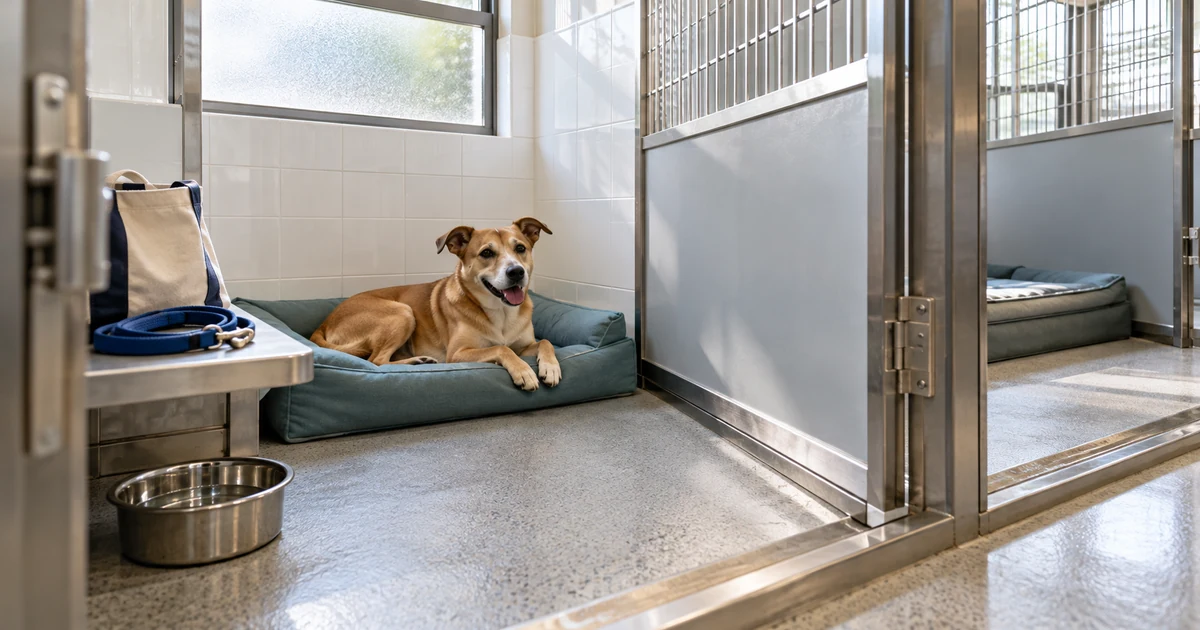
An owner requests four nights for two dogs. One has a missing document; the other needs an extra lunch each day. Reception first needs to check the paperwork and suitable accommodation. During the stay, care staff need to know which dog gets lunch and how much it ate. On the planned pickup day, the owner asks for an extension. This illustrative scenario follows a proposed pet boarding system from the request to actual collection.
Hong Kong’s AFCD boarding materials require a prescribed animal register, while SPCA’s published boarding conditions include document review before confirmation. Existing software such as Gingr also documents pet-by-pet feeding and medication logs. The work extends beyond reserving accommodation: reception, animal-care, cleaning and accounts staff need connected records, and owners need clear request and update screens.
AFCD — Additional conditions and prescribed register (August 2025) · SPCA Hong Kong — Boarding conditions (effective 1 November 2025) · Gingr — Feeding Report Reference
Owners request a stay; reception confirms the arrangement
The owner’s form can collect requested arrival and pickup dates and times, necessary contact details, an emergency contact and authorised collectors. Each dog has its own identity, documents, diet and relevant care information, linked to the same request. An owner can request an accommodation type or ask for the pets to stay together without assigning a specific room.
Reception’s queue can show awaiting documents, awaiting accommodation confirmation, accepted and declined requests, along with what is missing and who follows up. Confirmation follows the necessary document review and agreement on any changed accommodation. Display the establishment’s own charges, payment deadlines and cancellation terms. SPCA’s document, payment and extension conditions provide a local operational reference, rather than rules every boarding business must use.
SPCA Hong Kong — Boarding conditions (effective 1 November 2025) · Reddit r/software — Staff-controlled kennel booking question (2024)
Review documents for each pet, beyond the upload status
In Hong Kong, a business providing food and accommodation for animals for a fee needs a Boarding Establishment Licence before operating. AFCD’s currently linked August 2025 additional conditions require dogs over five months old to be microchipped and hold a valid dog licence; an original or copy of a valid, up-to-date vaccination certificate must carry that dog’s microchip number. A review screen should let reception check the pet, chip number, validity dates and document source, with a reviewer and time recorded. An attachment alone is not a passed review.
In this example, one dog remains awaiting its document while the other can be reviewed separately. Expired documents, mismatched chip numbers, unreadable images or possible expiry during the stay should produce a specific reason for reception to check against current conditions and request a replacement. Link original and replacement versions, and retain the review trail when a request is cancelled. Software reminders do not replace the establishment’s licensing responsibilities.
AFCD — Boarding Establishment Licence · AFCD — Additional conditions and prescribed register (August 2025)
A room board tracks bookings, presence and cleaning
Reception can view dates, physical rooms, eligible animal types, accepted stays and cleaning blocks on one board. Staff assess whether two dogs can share accommodation under the establishment’s conditions and the animals’ circumstances; a shared owner should not merge them automatically. AFCD’s currently linked 2011 Code of Standards covers accommodation and compatibility, including keeping dogs and cats separate. Use the dated document to help define room restrictions, checked against current licensing conditions and local procedures.
If two receptionists confirm the last suitable room at the same time, the system should recheck availability when saving and accept only one assignment. The other sees the conflict and possible next steps. Distinguish reserved, occupied, departed but awaiting cleaning, and ready for admission. A booking expiry or received payment must not make a room available. A move records the old and new locations, reason and time, and updates the care list.
AFCD — Code of Standards for Licensed Boarding Establishments (2011)
Confirm pets, belongings and instructions on arrival
The arrival screen first verifies each pet actually received and the time, then counts leads, bedding, food and other belongings. Record quantities, storage locations and useful photos against the pet. Similar food bags for two dogs still need distinct identifiers. Reception hands reviewed documents and owner-confirmed care instructions to the animal-care attendant, recording completion only when the handover is received.
Diet, activity restrictions and confirmed medication instructions can carry an effective time, source and version. If an owner changes the lunch arrangement during the stay, keep both versions so the next shift sees when the change starts and who has acknowledged it. Unclear instructions remain pending while staff contact the owner or relevant professional under the establishment’s procedures. The system records confirmed directions without calculating medication doses or diagnosing an animal.
Gingr — Feeding Report Reference · Gingr — Medication Report Reference
The care list shows which pet, which task and what happened
The daily screen can list feeding, water checks, activity and other scheduled care for pets on site, ordered by time. Each dog has its own tasks; the extra lunch belongs only to the dog that needs it. Opening a task shows the current room, latest instructions and earlier observations. Record the actual time, attendant and result, rather than assuming every pet in a room ate after one tap.
If the dog refuses lunch, record that food was offered, whether none or some was eaten, and objective observations. A completion tick should not hide the issue. Where follow-up is needed, use the establishment’s agreed procedure to notify the assigned colleague and nominated contact, keeping contacted, awaiting response and next-action states. Missed, delayed or impossible tasks need reasons and remain visible for follow-up. Repeated saves should return the original record rather than create a second feeding or medication completion.
Gingr — Feeding Report Reference · Gingr — Medication Report Reference · Reddit r/DogDayCare — Individual operator question about care reminders
Handover starts with open tasks; owners see confirmed updates
A handover view can gather an unresolved food refusal, delayed care, upcoming document expiry, room moves and newly effective instructions. The incoming attendant acknowledges each item and sees whom to contact, rather than reading only completed activity. Additions and corrections retain the author, time and original content so staff can reconstruct what the earlier shift saw.
An owner portal can show their pets, stay arrangements, confirmed care summaries and selected photos. Published updates link back to actual records and distinguish the recorded time from the sending time. Staff communicate open issues through the agreed procedure instead of automatically turning them into an “all well” message. Internal handover notes, other owners’ details and unchecked information must not travel with a photo link.
Recheck rooms for extensions; late pickup keeps care active
When the owner asks for another night on pickup day, reception checks the room’s next booking, cleaning time and other suitable accommodation before agreeing on charges and a new pickup arrangement. An unaccepted extension remains pending. If a move is needed, care staff receive a handover task and the new location. SPCA’s public conditions also make extensions subject to availability; the proposed system should use the establishment’s own rules.
Gingr’s feeding and medication report documentation warns that animals disappear from those reports after the scheduled reservation end time unless that time is extended into the future. This suggests a boundary to test: record physical presence separately so an uncollected pet stays on the care list until staff confirm departure. That is a proposed design rule, not a claim about every product. Keep the original end time, confirmed extension, late-pickup follow-up and actual departure distinct.
SPCA Hong Kong — Boarding conditions (effective 1 November 2025) · Gingr — Feeding Report Reference · Gingr — Medication Report Reference
Verify collection and belongings, then open the cleaning task
The pickup screen verifies the authorised collector and each pet, then lists leads, remaining food, bedding and other belongings for item-by-item return. For someone absent from the original list, confirm with the owner and record the decision under the establishment’s procedure; knowing a dog’s name is insufficient. Keep identity-verification data limited to what the procedure needs and restrict access. If only one dog leaves, the other remains present with active care.
Accounts staff review agreed boarding charges, extensions and other approved items against payments and any balance or adjustment. Keep payment and handover outcomes separate. After the last pet leaves a room, create its cleaning task. Cleaning staff record completion and outstanding issues against the checklist. Reception allocates the room once it is ready, rather than treating collection as completed preparation.
Keep the register, access controls and fallback tied to the record
AFCD’s currently linked additional conditions require the prescribed register to be retained for at least one year. Its fields include admission and departure dates, room, animal identity, owner contact details and treatment or remarks. An export screen can preview the relevant fields by date and flag gaps for an authorised colleague to check against the required format and actual records. Keep a correction history. Retention, backups and deletion need to follow current requirements; producing a file does not establish compliance with every condition.
Owners see their own pets; reception sees requests and documents; care staff see necessary instructions and emergency contacts; cleaners see rooms and cleaning work; accounts sees payments. Do not give every role document downloads, complete contact details or all photos by default. During an outage, a printed care list can carry its date, version and pet IDs, with actual times and exceptions recorded by hand. On recovery, reconcile each entry with its original task and a staff review rather than completing the whole sheet with one sync.
Before connecting existing boarding or accounting software, verify the actual account, API documentation, readable and writable fields, and data-handling arrangements. Gingr’s public API documentation lists resources for pets, immunizations, care, lodgings, bookings and invoices. A resource name does not establish access for a particular account or a ready connection to another service. Agree which system confirms each record and who reconciles failed transfers.
AFCD — Additional conditions and prescribed register (August 2025) · Gingr — Public API documentation
Before payment, walk through two dogs, four nights and an extension
ProApp provides a Demo before payment. For a pet boarding system, we can agree on the operations to show around your reception, care, cleaning and accounts roles, then walk through a complete stay with a fictional owner and two dogs. Review whether each colleague can find the next task and whether the owner sees accurate confirmations, care updates and pickup arrangements.
- Request four nights with one dog missing a document, then replace and review it separately. Have two receptionists try to accept the last room concurrently and check that it is assigned once.
- Check belongings at arrival and schedule an extra lunch for one dog. Record a refusal and pending reply, revise an instruction, then inspect the incoming shift’s open tasks and the owner-visible update.
- Pass the planned pickup time without accepting the extension. Check that both dogs remain on the care list, then test tomorrow’s room conflict, a move and the accepted extension.
- Let an authorised collector take one dog first and check verification, belongings and balance. After the second departs, complete cleaning and register export. Repeat a handover action and reconcile a printed care list to check for duplicates.