Fresh and frozen grocery ecommerce: delivery slots, picking and substitutions
Vegetables, milk, frozen dumplings and rice can share an order, but need different handling. Follow a proposed grocery workflow from address and delivery-slot selection through picking, substitute approval, loading and failed delivery.
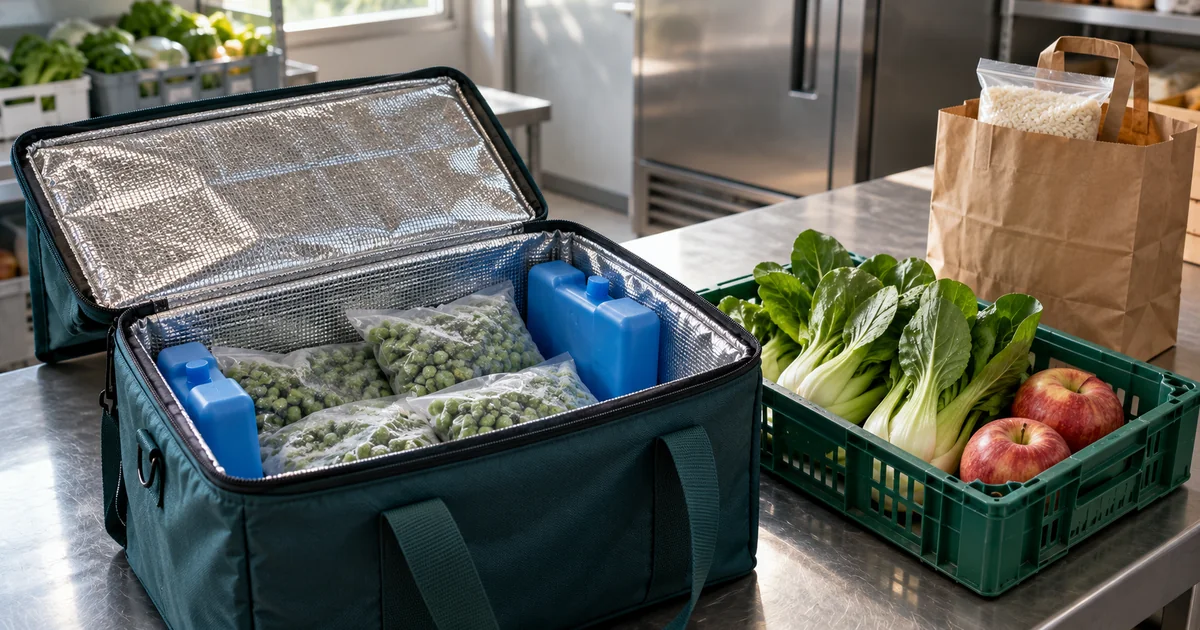
A customer orders vegetables, milk, frozen dumplings and rice for a weekend meal, choosing an afternoon delivery. At picking, one bottle of milk is unavailable; the frozen bag is ready, but the ambient bag is missing its rice. With separate messages, the customer expects a complete order, the driver thinks everything is loaded and support cannot tell what is missing.
These handoffs merit their own design. Hong Kong’s Consumer Council reported split-delivery communication, timing and product-condition problems in its 2020 online-supermarket trial. That historical observation is not a measure of the industry today. The proposed system below follows the screens used by customers, pickers, packers, dispatchers, drivers and support staff.
Consumer Council — Online grocery shopping trial (2020)
Start with the address and an available delivery slot
After the customer enters the district, street and building, show eligible dates, slots, delivery fees and cutoffs. Flag unsupported addresses before shopping. Dispatch staff can set capacity by zone and day, then account for chilled and frozen container space: twenty rice-only orders and twenty orders with several frozen boxes each do not use the same capacity.
A selected slot can be held temporarily with a visible checkout deadline. On expiry, release its capacity, retain the basket and ask the customer to choose again. Tesco’s public guide uses both a slot-hold limit and an amendment cutoff. Treat them as separate settings for your shop, and recheck capacity at confirmation so two customers cannot take the last place.
Make pack size, storage and availability clear
Show whether milk is sold by the bottle or case and the weight of each dumpling pack before it enters the basket. Product staff can maintain label photos, ingredients, allergens and storage information, replacing outdated details when the product changes. Keep fixed-price packs separate from items sold by weight; explain estimated cost, permitted weight variation and how the final adjustment is approved.
Calculate availability for the actual fulfilment location, distinguishing stock on hand, reservations and blocked batches. A picking screen can show batch dates and the shop’s promised remaining shelf life at delivery. An earlier-expiring batch must still meet the order’s requirements. Changing the delivery date should recheck product and batch eligibility.
Confirm the whole order and keep amendments traceable
The confirmation page brings together items, address, slot, substitution preferences and total. Let customers choose “refund if unavailable” or “contact me first” by item, instead of one default covering all foods. The order page separates payment, picking and delivery status, explaining what remains provisional while payment is unconfirmed.
Adding two dumpling packs before the cutoff requires a new amount, frozen-package capacity and stock check before confirming the change. After the cutoff, support handles the request and updates the picking record. A payment notification arriving after a hold expires must not force an order into a full route: flag it for the agreed contact or refund process. Repeated payment notifications update the same transaction.
Resolve shortages while the order is being picked
Pickers work through the day’s list by shelf and storage area, confirming quantities. Scanning a different milk product or pack size flags a mismatch. Unavailable, damaged and blocked-batch items have distinct reasons rather than all becoming “picked.” Weighed goods retain actual weight and unit price so support can explain an adjustment.
When approval is needed, show the original and proposed replacement with names, quantities, ingredient details and price difference. The customer can accept or remove the item. No response follows the rule agreed at checkout; silence is not approval. Two products called milk are not automatically suitable for the same dietary needs. The final receipt shows supplied items, removals and refund status.
Separate packages, then reconcile them before loading
One order can have ambient, chilled and frozen packages, each with an ID, holding location and picking, packed or loaded status. Loading can show three expected packages, two scanned and the frozen bag still missing. Separate packaging does not imply separate deliveries. If two deliveries are necessary, support confirms the arrangement with the customer and records both journeys.
CFS guidance addresses temperature records, delivery capacity and non-deliveries. Software can link readings and measurement times to a route or container and assign exceptions, distinguishing delayed sensor data from manual entries. Missing readings are not normal readings. Storage conditions, equipment and release decisions still depend on the food and operating procedures; software cannot guarantee the cold chain or food safety.
Centre for Food Safety — Online Grocery Shopping and Delivery
Give a failed delivery a next action
The driver’s phone can show the assigned route, stop order, package count and necessary delivery contact details. Separate a sent notice, failed message and customer reply. Changes to arrival estimates retain the new window and contact record. A customer’s tracking page should expose only their own order, not other addresses or the van’s full manifest.
No answer, building-access problems, rejection and equipment failure need different actions. The driver records what happened and where the goods went; support coordinates contact, refund or another delivery. A doorstep drop is not automatically a safe handover. Returned chilled or frozen goods remain on hold until authorized staff assess time, temperature and condition under the shop’s procedures; scanning them back in must not restore saleable stock.
Adapt the workflow to how the shop fulfils orders
Store pickup can reuse orders and temperature-specific packages, replacing dispatch with collection slots, holding locations and collection confirmation. Multiple stores need a chosen fulfilment location before checking its stock and capacity; transferring an order also releases or replaces the old reservations. Restaurant replenishment can add case sizes, receiving windows and named recipients without turning household checkout into procurement approval.
Actions differ by role: product staff maintain specifications, pickers confirm goods, dispatchers adjust routes, support handles customer choices and redelivery, and finance checks refunds. Product editing need not grant refund authority; drivers need not see full customer histories. Amendments, substitution decisions and goods dispositions retain the actor, time and reason for the next person.
Before payment, review a Demo with a mixed-temperature order
ProApp offers a Demo before payment. Bring an anonymous product list, delivery zones, current slots and shortage rules to plan the flow to demonstrate. These steps let customers, picking staff and delivery staff review the parts they would use:
- Have two test baskets compete for the last slot, then let one hold expire. Check capacity, retained basket contents and availability when choosing a new slot.
- Order milk, frozen dumplings and rice, then amend quantities before and after the cutoff. Check the amount, capacity and picking version.
- Mark the milk unavailable. Try acceptance, rejection and no reply to a substitute, checking the final goods and refund record.
- Load only two of three packages and add a temperature record without a reading. Verify that missing packages and incomplete measurements remain visible.
- Simulate an absent recipient, following the driver’s report through support handling and returned-stock review. Compare customer messages, refund progress and stock status.
Start with a complete order from one fulfilment location
Begin with one fulfilment location, a limited delivery area and fixed-size packs, covering slot selection, checkout, shortages, temperature-specific packaging, delivery and refunds. Add weighed goods, inter-store transfers, recurring grocery boxes or sensors when needed. If an existing storefront already takes orders, the first change can connect picking and delivery behind it.