Employee expense claims: from receipts and corrections to accounting and reimbursement
One claim contains a taxi fare, company-card supplies, a meal with a personal portion and a receipt in renminbi. A system can help employees enter each item, reviewers return only what needs correction, and finance check accounting and payment results instead of treating approval as money received.
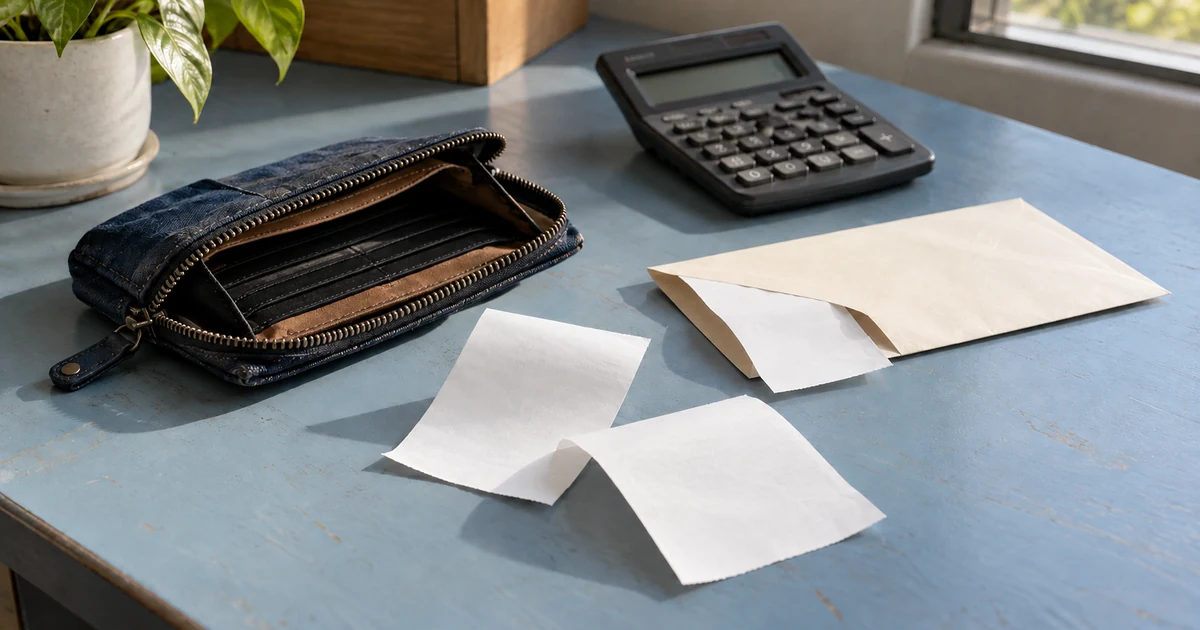
After field work on 9–10 October 2026, Yi at a fictional Hong Kong equipment-service company submits four expenses: a personally paid HK$96 taxi fare, HK$184 of supplies paid by company card, a personally paid HK$248 meal containing HK$58 of private spending, and a personally paid CNY180 expense from work in Shenzhen. Uploading four photos is easy. The useful record says who paid, what can be reimbursed and where each item stands.
HKU Mechanical Engineering’s public reimbursement procedure, revised in March 2024, requires item details, an account code and receipt/payment evidence. Xero’s course description published on 28 April 2026 also covers capturing, approving and reimbursing expenses. These illustrate existing workflows and tools rather than one rule for all companies. The proposed system connects “My claims,” the review queue and finance batches; useful existing tools can remain while missing handoffs are connected.
HKU Mechanical Engineering — Reimbursement procedure (revised March 2024) · Xero Education — Manage staff expense claims (28 April 2026)
Capture receipts while keeping the original and checking suggested fields
Employees can photograph a receipt or upload an image or PDF, then enter the date, merchant, purpose, category, amount, currency and payment method for each item. Keep the original beside the form. OCR suggestions remain unconfirmed, with uncertain or missing fields marked for attention. If Yi’s Shenzhen receipt has an unclear date, ask her to clarify rather than treating a machine-read value as verified.
A receipt spanning categories can be split into lines that retain the same original and a checked total. Missing receipts use a separate explanation and alternative-evidence field for review under company policy; the system must not manufacture a document. An interrupted upload stays visibly pending, preserving its draft and item ID. Confirm upload only after receiving the file, and prevent repeated taps from adding another expense.
Identify the payer before calculating reimbursement
Separate personally paid expenses, company-card charges and direct company payments, with reimbursable and private portions. Yi submits the HK$184 supplies receipt for accounting, but it does not become a payment to her because the company card paid it. The HK$248 meal retains its HK$58 private split, leaving HK$190 requested. Together with the HK$96 taxi, local reimbursement totals HK$286.
Retain the CNY180 original amount, currency, transaction date and conversion evidence. At an agreed illustrative rate of HK$1.10 per CNY, that item becomes HK$198 and the employee reimbursement totals HK$484. This is not a market quote. A company may use card-statement amounts, an agreed rate source or another confirmed method. Show the source date, selected value and rounding rule, and prevent later rate updates from silently changing approved amounts.
The summary separates original amounts, company-paid charges, private portions, pending review and requested reimbursement without adding unlike currencies. For travel advances, record the advance already paid, the permitted offset and any balance to pay or return. An advance is not another receipt, and an offset must remain traceable to the expenses and original payment.
Zoho Expense — Currencies and dated exchange rates · Xero Product Ideas — User feedback on correcting who paid (2022–2026)
Review and return individual items without restarting the claim
The reviewer’s queue filters by submission date, employee, category and missing information. Open each original beside its purpose, payer, splits and applicable company rules, then accept, request information or decline with a reason. The HK$96 taxi and HK$190 meal can remain accepted while the CNY180 item is returned for a clearer date. The company-card supplies stay in the accounting-check workflow.
Yi sees “HK$286 local expenses accepted; CNY180 item needs a date.” She edits that item, adds a clear photo and replies, while the older image, return reason and time remain available. Resubmission puts affected items back in the queue without erasing other decisions. Whether accepted items can be paid early is a separate company rule, not an automatic consequence of partial acceptance.
Show the evidence behind a possible duplicate
Checks can flag a reused file, nearby merchant and date values, matching currency and amount, or a repeated receipt number. Show candidate items, the matching fields and their claim status for an authorised reviewer. Two employees may split one meal receipt, and repeated taxi journeys may cost the same. A flag is evidence to inspect, not a fraud finding or a sufficient reason for automatic rejection.
A clearer replacement photo links to the same item as an attachment revision. A shared bill records each requested share and checks the receipt total. If an item is genuinely duplicated, record which entry is excluded and why, retaining the history. Give the employee enough explanation to resolve their own claim without exposing another person’s banking details or private attachments.
Approval belongs to a version; changed amounts need another check
Once the date is clarified, the reviewer accepts the CNY180 item and this example’s final approved reimbursement is HK$484. Preserve the item amounts, payers, exchange rate, policy version, decision maker and time. Employees can view their own result. If a category or amount needs another authorised person, show that next task. Delegation during absence needs a defined scope, and employees cannot approve their own claims.
If the meal’s private portion was wrong, create a revision rather than editing the historical HK$484 approval. Show changed items, amounts or payers and route the necessary review. Finance processes the current approved version that has not been superseded; accounting or payment already completed requires a linked correction or adjustment. Simultaneous approvals check the current version, so an old screen cannot approve newly changed amounts.
Preview accounting batches and confirm acceptance after export
The accounting queue shows claim and version IDs, employee, categories, department or project, original currency, converted amount, payer and attachments. Preview account-code and employee mappings before producing a batch in the receiving tool’s format. The HK$184 company-card charge and HK$484 employee reimbursement follow their respective accounting procedures rather than becoming one payment to the employee.
Give batches and lines stable IDs; another download returns the same content. After a transfer timeout, check the receiving result before creating anything new. Track downloaded, sent, accepted and rejected separately, with reasons such as an unmapped account code. Correct and retry confirmed unaccepted items under the receiving system’s rules, preserving successes. Verify the actual account, fields and supported API or CSV operations before promising automation.
Track payment results and leave rejected payouts actionable
A payment batch shows each employee’s approved amount, paid amount and balance for finance to confirm under company procedures. Exporting a bank file or sending an instruction sets sent or processing status; accounting acceptance does not mean bank payment. Yi can still see HK$484 awaiting reimbursement until finance reconciles the payment reference and result, then records the amount and date paid.
If Yi’s payment is rejected in a ten-person batch, preserve the other nine successes and leave her HK$484 outstanding with the reason and original payment reference. Finance confirms there was no successful payment before correcting recipient details and retrying through the agreed banking procedure. An unknown result needs reconciliation rather than a whole-batch resend. If the company pays the accepted local HK$286 first, record it separately and retain the HK$198 balance; partial payment does not settle the claim.
Zoho Expense — Approved reports and recorded reimbursements · Zoho Expense — Recording reimbursements and region-specific payment options
Adapt policy and access to the work people actually do
Field-work taxis, travel accommodation and routine supplies may need different fields, evidence, limits and reviews. Date policy changes and show which version applies to an item. Above-limit spending can require an explanation and further confirmation instead of silently removing the excess. When employees move departments or leave, retain the claim’s original responsibilities and assign outstanding work to an authorised colleague without rewriting its history.
Employees see their own claims, corrections and payment results; reviewers see evidence and purposes needed for their decisions; finance sees accounting and payment information. Limit banking details to payment duties and keep complete receipts and private spending out of notification previews. Apply the company’s confirmed retention, download, deletion and backup arrangements with action history. Public analytics need no receipt contents, bank account numbers or full attachment URLs.
Before payment, walk through four expenses and one returned item
ProApp provides a Demo before payment. Bring anonymous receipts, expense categories and accounting import fields so we can agree on the operations to show for employees, reviewers and finance. Walk through Yi’s four fictional expenses, checking whether mobile corrections are clear, reimbursement figures reconcile and finance can find an item still awaiting accounting or payment.
- Upload the four originals, correct an OCR suggestion, mark the HK$184 company-card charge and HK$58 private meal portion, then reconcile HK$484 using the illustrative rate. Try an interrupted upload and repeated submission.
- Accept the local HK$286 and return only the CNY180 item’s date. Resubmit with a clearer photo, check that accepted items remain, then inspect a duplicate warning and shared-bill explanation for the meal receipt.
- Approve the final HK$484 version, change a split, then review and approve the corrected version before finance previews and exports an accounting batch, simulate an unmapped account code, inspect the receiving result and retry only confirmed unaccepted entries.
- Walk through payment separately: sent must remain distinct from paid. Simulate one rejected payout and an unknown result, reconcile before retrying, then inspect the employee’s paid amount, balance and each role’s access.