Photography studio rental systems: studio slots, shared lighting and checkout
The studio is free, but the lighting kit is booked next door. Connect room availability, equipment, crew size, setup, cleanup and condition checks in one rental record so the renter and studio team know what is confirmed.
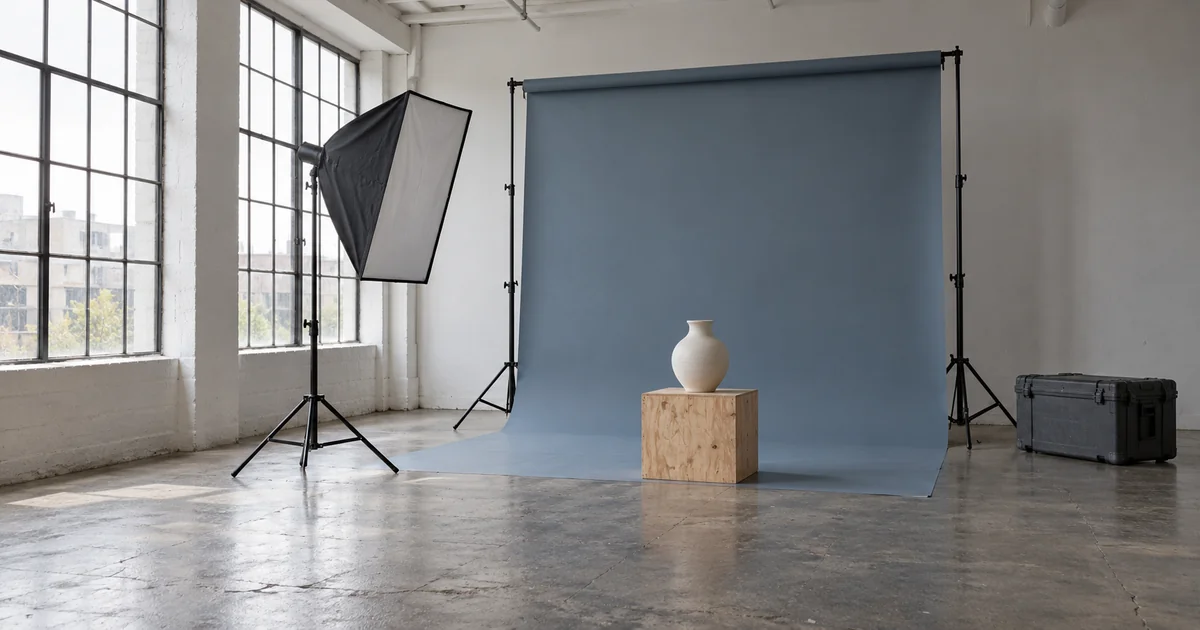
A producer books Studio A for an eight-person team and adds two continuous lights. Near the shoot date, staff discover that one light was also promised to Studio B. The request says 2–6 pm, without explaining whether backdrop changes and packing away are included. A connected rental record can make those dependencies visible before confirmation.
Hong Kong rental pages already capture this detail: The Hive asks for alternate dates and crew size, Lawrence Studio distinguishes room rental from photography services, and Dream Scenes lists equipment and attendance arrangements by plan. The example below shows how a custom system could support renters, booking staff and the onsite team across two studios sharing lighting equipment.
The Hive Studios Hong Kong — Studio booking form and rental terms · Lawrence Studio — Studio and equipment rental · Dream Scenes Studio — Rental plans, equipment and attendance
Who uses each screen, from enquiry to handover
The renter may be a photographer, producer or contact from a brand team. A mobile booking page can show room dimensions, backdrops, available times, included equipment and extras. The rental record shows confirmed items, outstanding questions and arrival instructions. A photographer or lighting technician becomes a service and scheduling requirement only when separately requested.
- Booking staff: side-by-side studio calendars, hold deadlines, equipment conflicts and requests awaiting confirmation.
- Studio and equipment staff: daily handover lists, actual attendance, issued lights, existing defects and checkout checks.
- Finance staff: rental charges, booking payments, security deposits, extras and refund status. Equipment staff need not see the renter’s full payment record.
Ask what is being shot, who is coming and when access is needed
The request can separate preferred and alternate times, shoot type, everyone attending, backdrop colours and equipment needs. Count models, makeup artists, assistants and client representatives. If attendance exceeds the venue’s configured capacity, request a revised plan. A crew surcharge and an occupancy limit are separate rules; paying more should not silently override the limit.
Add venue-specific questions for large props, pets, sound recording, haze or wet sets, with staff review where required. An alternate time is an option for discussion. It should not reserve several slots unless staff explicitly place those holds.
The Hive Studios Hong Kong — Studio booking form and rental terms · Dream Scenes Studio — Rental plans, equipment and attendance
Put setup, shooting and cleanup on one timeline
The summary can show access, expected shooting start, cleanup start and required handover. In an illustrative 14:00–18:00 rental, 14:00–14:30 may be setup and 17:30–18:00 packing and cleaning. The renter can see the shorter shooting window. These are example times to adapt to the venue’s policy and production plan.
The Hive’s published terms include setup and takedown within the rental, while Image Master describes a separate preparation allowance. Store the rule agreed for each rental. Any further inspection or reset time needed by the venue can block the calendar while remaining distinct from the customer’s paid period.
The Hive Studios Hong Kong — Studio booking form and rental terms · Image Master — Studio rental and preparation terms
Keep provisional holds, confirmation and payment distinct
A request can move from awaiting review to held until a stated deadline, then confirmed once availability and any required payment are checked. Holds reserve the room and equipment together. If payment arrives after a hold expires, flag it for review and recheck availability; do not take equipment already allocated to another booking.
Separate advance rental payments from the refundable security deposit. The confirmation page shows the period, kit, attendance, cancellation or change rules and payment status. A date change should check the complete allocation before replacing the old reservation. Repeated confirmation clicks or duplicate payment notifications should still produce one valid rental record.
Check items at arrival and account for them at checkout
The handover screen can load the booked kit, record actual arrival and attendance, and identify issued equipment. Note existing marks on paper, flooring, props or stands, with photos where useful, and make that record available to the rental contact. Add or swap equipment on the same record and recheck later allocations.
At checkout, record departure, cleared belongings, room condition and returned equipment with accessories. A returned but untested light can be marked received, awaiting inspection; a missing trigger remains open. The room may be handed back while equipment inspection and deposit settlement are still pending.
Before extending, check the next booking and shared kit
For a request to add half an hour, show whether the room, kit and reset interval are still available, then calculate charges using that rental’s agreed rule. Extend only after confirmation. If the next team is due, show the conflict. A room may be available while some equipment is not; obtain the renter’s acceptance of a revised allocation before confirming.
For an unapproved late handover, retain the original end, approved extension and actual handover times for staff to review. A late arrival does not automatically shift the end time. If the venue was not ready or equipment failed, record the cause and agreed adjustment rather than applying a customer overtime charge by default.
Itemise backdrop use, condition issues and the deposit
The closing statement can separate rent, extra kit, approved extensions, backdrop consumption, extra cleaning and items still under review. Record paper by the venue’s chosen measure, such as length used or replacements, with colour, quantity, unit and the agreed charging method. Keep each charge traceable.
For a newly reported defect, keep its location, before-and-after photos, inspector and renter response for a designated colleague to review. Mark disputed items as pending and handle the deposit under the agreed terms; a photo alone should not trigger a deduction. Refunds need pending, issued and failed states with a payment reference.
Lawrence Studio — Studio and equipment rental · Image Master — Studio rental and preparation terms
Try two bookings competing for lighting in a Demo before payment
ProApp offers a Demo before payment. Using fictional rental details, we can plan the following walkthrough around your rooms, equipment list and handover rules for booking, studio and finance staff to review.
- Reserve two lights for Studio A, then request two for Studio B. Check how a shortage leads to a substitute or a different time.
- Let a hold expire, then record a late payment and confirm that room and equipment availability must be checked again.
- Add an assistant and an accessory at arrival; check attendance, the issued-kit list and later equipment bookings.
- Request an extension near the end, once with a following booking and once with a free interval. Check availability and the charge.
- At checkout, record paper usage, an existing scratch and an item awaiting inspection. Follow charge review through to the deposit refund and inspect the customer’s statement.
Connect a day’s rentals, then adapt to different shoots
A first version can connect two room calendars, shared equipment, confirmation, arrival checks and settlement. Product shoots may need colour and prop reservations; video studios may add sound-recording periods, nearby-activity alerts and technician schedules. Cyclorama studios can block repainting time. Offsite equipment rental adds collection, return and transport arrangements when needed.
Bring an equipment list and rental rules without customer information, plus a recurring coordination problem—such as one studio’s extension delaying the other’s lighting kit. That gives a concrete basis for deciding what each person sees and confirms.