Laundry and dry-cleaning systems: track each garment through re-cleaning and collection
Three garments share one ticket: two are ready and one needs re-cleaning. Connect item IDs, condition notes, cleaning handoffs, rack locations and actual collection so the counter can trace every piece.
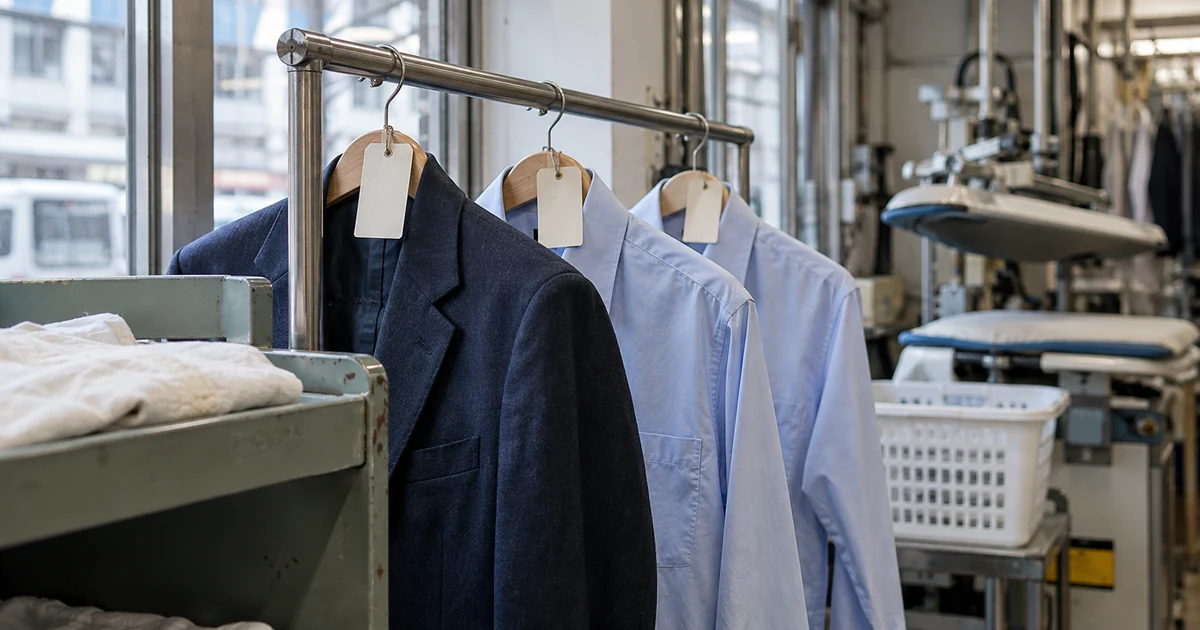
A customer brings a jacket and two shirts, then wants the shirts on Friday while the jacket needs more work on a stained cuff. With only “in progress” and “complete” for the whole ticket, counter staff cannot readily tell which items can leave, where the remaining piece is, or whether a partial collection has accidentally closed the order.
These handoffs deserve specific design. Hong Kong’s Consumer Council reported cases in 2022 involving garments lost after locker drop-off and a dispute over garment condition at collection. CleanCloud’s current feature documentation lists individual garment tracking, garment photos and rack locations, showing that tools already serve this work. The proposed workflow below follows customers, counter staff, cleaning and quality staff, and the people transferring garments.
Consumer Council — Laundry service dispute cases (2022) · CleanCloud — Garment tracking, photos and rack locations
Count and identify each item at intake
Counter staff create a ticket with necessary contact details, the collection branch and expected date, then enter each item’s type, colour, service and agreed charge. The jacket and two similar shirts each receive a unique ID, linked to the same ticket. A belt, detachable hood or other accessory is recorded against its garment. A paper or electronic receipt lists the items and services for the customer to check at the counter.
An intake check can attach overall, stain, damage and care-label photos, plus the customer’s account of the stain, earlier removal attempts and folding or hanging preferences. Staff inspect pockets under the shop’s procedure; the screen distinguishes pending checks from checks completed by a named person and records any belongings returned. A tick or photo does not establish that the garment is problem-free. Australian industry guidance also asks customers to identify stains and previous treatment attempts.
Give cleaning staff the item details and a hold option
Scanning a tag brings up that item’s intake photos, care label, service, accessories and special instructions. A work queue can separate inspection, customer response, cleaning, pressing and quality checks, with a person and time recorded for each handoff. An unclear label, delicate trim or a need for a different treatment puts the item on hold for an appropriately experienced colleague. Software should not choose a cleaning method from the garment’s name alone.
Where special treatment needs the customer’s agreement, staff can send the reason, proposed approach and any change in charge or date for confirmation. Customers see only their own item and response options. An unanswered message leaves it on hold; sending a request does not mean agreement. Changes to the proposal require the relevant points to be confirmed again, retaining the previous version. Industry care-label guidance highlights the professional judgment needed for incorrect or unclear labels; the system connects information and decisions.
Record dispatch and the plant’s actual receipt separately
A dispatch screen for branches or outsourced cleaning can scan the items in a batch, record the bag, count, destination and receiving person, and produce a manifest. The plant or partner checks the IDs actually received. If ten were sent and nine arrived, show the missing item and the person following it up. One batch confirmation should not assume every garment arrived. Use the same reconciliation when finished items return to the shop.
CleanCloud’s 2022 update documented scanning order receipts when handing orders to a driver for transport to a plant. A custom workflow can add item-level receipt checks at both ends, letting counter and dispatch staff see the last verified handoff. A partner without system access can use a limited manifest and a recorded manual confirmation; do not assume its existing tools already synchronize in real time.
Keep quality checks, re-cleaning and rack location with the item
After cleaning, quality staff compare each item with the original instructions and record a pass, review or re-clean, with reasons and relevant photos. A jacket requiring another attempt retains its garment ID, adds a treatment record and gets an updated expected date. It does not become a new apparently completed item. If further work raises a concern, put it on hold for staff to discuss the next step with the customer, without automatically promising stain removal.
Once an item passes, assembly staff scan its tag, place it at a location such as rack A, slot 12, and check the other pieces and accessories. CleanCloud documents barcode-assisted assignment to rack locations. A custom screen can say “2 of 3 ready; 1 being re-cleaned,” with the collection branch. Show the full order as ready only when all items due for this return have passed, arrived and had their locations checked. Notifications state the actual ready count; failures remain actionable, and a sent message never means the items were collected.
Confirm which garments leave at collection
The collection screen retrieves the ticket and shows each item’s status and location. Staff fetch and scan the physical garments, check the count and accessories with the customer, verify the recipient under the shop’s identity or authorized-collection procedure, and record the item IDs, staff member and time. If the customer takes two shirts while the jacket is being re-cleaned, retain “partially collected” and keep the remaining item traceable, with a clear account of what is still outstanding.
Keep amounts due, payments, refunds and additional charges in a separate panel. Successful payment must not mark all three garments collected, and handing over two items must not imply a settled balance. For a missing receipt, staff search in a nonpublic screen and complete the agreed manual verification; public screens should not expose other customers’ names, phone numbers or garments. If a customer reports a wrong item or a condition concern, support can follow up against the original ID and review intake, treatment, quality and handover records.
Use traceable units for individual cleaning and wash-and-fold
For wash-and-fold charged by weight, use bag IDs, recorded weight, separated bags and customer preferences rather than turning every sock into a dry-cleaning item. List items requiring separate treatment while retaining their link to the ticket. Multiple branches keep the intake branch, current location and agreed collection branch. Recurring uniform cleaning can associate pieces with their wearer and record each return’s count. Each variation retains the same intake, treatment, checking and return trail.
A lost tag puts the garment in a reconciliation area. Staff compare photos, type, accessories and manifests, then an authorized colleague links it back to its original ID with a reason, rather than guessing a new ticket. During an outage, limited pending records or a manual fallback can retain the work. Clearly mark unsynced entries, reconcile the original records on recovery and prevent repeated actions from creating another item or collection. Support staff see printing, sync and notification errors. For scales, rack equipment or other software, check the actual model, documentation and data exchange; a listed integration category does not establish compatibility with every device.
Before payment, walk through three garments and one re-clean
ProApp provides a Demo before payment. For a laundry and dry-cleaning system, we can agree on a walkthrough around your actual shop roles, using a fictional customer, a jacket and two shirts. Counter, cleaning, quality and handoff staff can review whether each person finds the next task and whether the customer sees the correct counts and collection arrangements.
- Intake three garments and give the similar shirts different IDs. Add the jacket’s cuff photo, a pocket check and a special-treatment request; leave the request unanswered to inspect the hold.
- After the customer approves the special treatment, dispatch three but confirm receipt of only two. Review the discrepancy, reconcile the third, then complete the initial cleaning and fail the jacket’s quality check for re-cleaning. Assign rack locations to the shirts.
- Notify the customer that two items are ready and collect those two. Check recipient verification, scanned IDs and the payment panel; the jacket must remain outstanding. Try a missing receipt and a repeated confirmation.
- Pass the jacket after re-cleaning, return it to the branch and complete the final collection. Review all three histories, then try lost-tag reconciliation or outage recovery and check for duplicate items or collection records.