Church venue booking: coordinate gatherings, room requests and handovers
Sunday worship, choir rehearsals, classes and approved external activities share the same spaces. An empty calendar slot may still be unavailable. Connect recurring dates, setup and cleanup, equipment, staffing and key handovers.
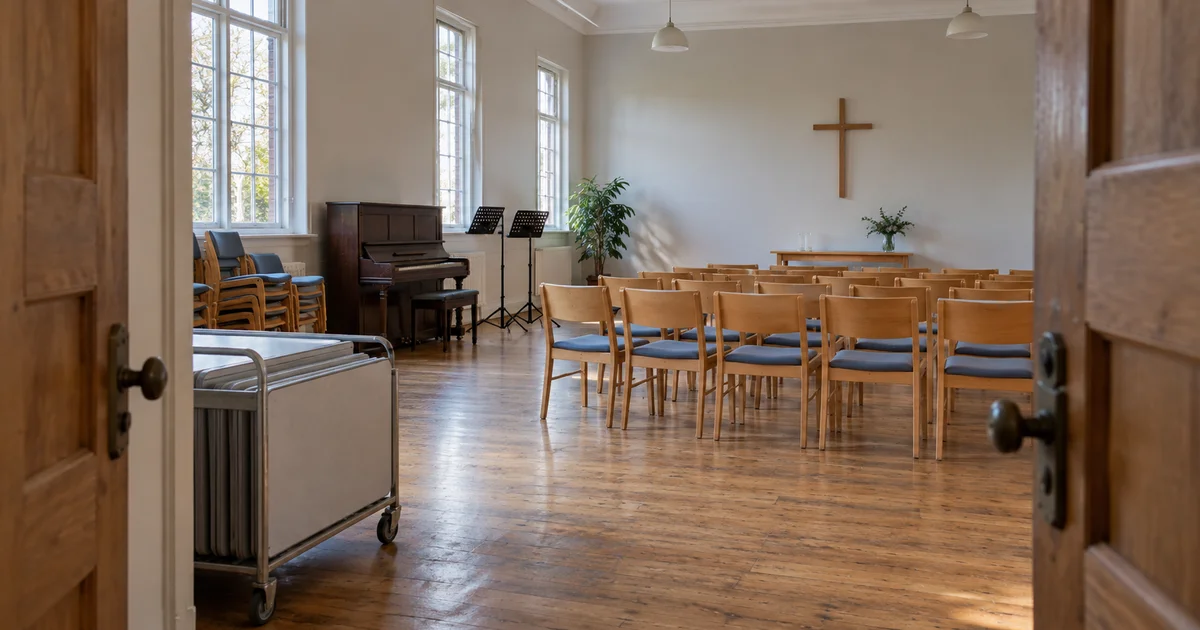
On Sunday afternoon, a choir rehearses in the hall, a class meets next door and an approved outside group wants to arrive early to arrange chairs. The events do not overlap on the calendar, yet they may need the same sound equipment, corridor or person to unlock the building. A church booking system needs to coordinate the whole visit.
Public examples show the practical need: Kowloon Rhenish Church publishes conditions covering church operations, equipment and handback; ChurchSuite documents separate event and resource times. The following describes functions that can be designed around a church’s own process, from request to return.
Kowloon Rhenish Church — Group venue-use rules · ChurchSuite — Adding and viewing bookings
Groups describe their needs; staff see rooms and tasks
A fellowship group, choir or class contact selects the room, dates, attendance estimate, seating arrangement and equipment on a request form, with one on-site contact. Outside groups can use a separate form for their purpose and required documents. Eligibility is reviewed before approval; seeing an available slot is not permission to use it.
A room card can show capacity, opening hours, accessible routes and restrictions for the hall, smaller rooms, kitchen and other available spaces. Hiring the hall need not include the kitchen, storage or sound booth. List each requested area explicitly.
- Requesters see their applications, missing information, approved scope and changes.
- Office staff and authorized approvers see the room planner, overlapping requests and decisions due.
- Opening, sound and cleaning teams see a daily task sheet with arrival times, setup, equipment and inspection duties.
Schedule recurring gatherings with individual exceptions
Create separate recurring series for Sunday services, weekly choir practice and a term of classes, with start, end and excluded dates. Expand every occurrence before submission to reveal special events, holidays or maintenance closures. One disputed date can remain pending while other approved dates stay intact; checking the first week cannot clear the whole term.
Make “this occurrence” and “this and future occurrences” explicit, then recheck rooms and equipment. ChurchSuite documents individual date removal and selected-date changes. A church-specific design can also ask contacts to reconfirm before renewal, so a group that has stopped meeting does not keep future slots indefinitely.
A two o’clock event may need the room from half past one
For example, a 14:00–16:00 talk needs 30 minutes to arrange chairs and test sound, then 30 minutes to clean up. Check the room for 13:30–16:30 while showing attendees 14:00–16:00. If choir practice occupies it until 13:45, setup conflicts for 15 minutes. These are illustrative timings; the venue sets its own buffers.
The planner can distinguish activity, setup and cleanup. Shared portable sound equipment needs transfer and testing time as well. Combined hall sections should block their constituent rooms. Where sound carries between rooms, flag a quiet class beside an amplified rehearsal for review even when the room bookings themselves do not overlap.
Review competing requests and recheck before approval
Two requests for one slot are not necessarily two confirmed bookings. Planning Center allows competing requests to be reviewed by designated conflict resolvers. A custom process can distinguish information needed, coordination pending, approved and declined. An approver applies the church’s priorities and offers another room, a different time or an agreed shared arrangement, with its scope recorded.
Recheck current rooms, equipment and required staffing at approval so two staff members cannot each rely on an old availability view. Temporary holds need an expiry; maintenance closures stop new requests. If church activities take priority, identify affected approved bookings and have an authorized person arrange and communicate the change instead of silently replacing them.
Planning Center — Request rooms and resources for an event · Planning Center — Resolve conflicts
Connect room approval to equipment, access and handback
The confirmation can list rooms, access and return times, seating, equipment and the people responsible for opening and sound. Some resources need separate requests: Wu Kwai Sha Youth Village’s chapel form lists audio, projection and cleaning options separately. A workflow can ask the sound team to confirm microphones, connections and testing time rather than assume a room includes every device.
For a key or fob, record its number, recipient, collection, due date and the person confirming return. Separate long-term keyholders from one-off loans and put overdue returns on a task list. Report losses to the designated contact. If electronic access is integrated later, restrict it to approved doors and times and show activation or revocation results; an approval email alone does not configure a lock.
After the event, the on-site contact clears up, restores seating and returns equipment and keys; the duty person confirms handback. Damage, missing items and unfinished cleaning remain separate follow-up tasks, with photos excluding people where needed. Reaching the scheduled end time must not automatically mark a room as handed back.
Chinese YMCA of Hong Kong, Wu Kwai Sha Youth Village — Chapel booking form · West Windsor Baptist — Facility use
Release cancelled slots and apply only relevant charges
Internal gatherings may be free, and external use may be waived too. West Windsor Baptist explicitly publishes free facility use. Distinguish free use, an approved waiver and chargeable use under the venue’s rules. Show charges, deposits and refunds only where applicable; a Sunday school room request should not automatically require payment.
Before cancelling one date or a series, show affected occurrences, people to notify, rooms and equipment to release, and any keys still due. Distinguish requester cancellation, a church-initiated withdrawal and a weather closure, applying the accepted policy version. Where money is involved, separate refund review, processing and completion; a cancelled booking does not prove a refund was received.
West Windsor Baptist — Facility use · Kowloon Rhenish Church — Group venue-use rules
Show availability without exposing groups or personal details
A public view can show requestable, held or occupied times and available rooms without group names, attendee lists, private meeting details or contact numbers. Requesters see their own bookings; opening and cleaning teams receive only what they need. Room booking need not become a membership directory or ask every attendee about their religion.
A small church can begin with a few rooms, one approval step and manual key handover. Larger sites may add shared resources, zoned access and duty rosters. If children’s classes have additional venue requirements, include the relevant confirmations for that request type. Event registration, worship attendance and giving can remain separate workflows.
Before payment, walk through a term of gatherings and one external booking
ProApp offers a Demo before payment. Use anonymous room details, the current venue policy and fictional contacts to plan a walkthrough of these operations:
- Request a term of classes, skip a holiday and move only the occurrence affected by a closure; check that the other dates stay unchanged.
- Submit an external talk whose setup overlaps choir practice even though the event times do not; resolve the timing and confirm sound equipment and staffing.
- Try free internal use and chargeable external use; inspect confirmations, key handover, equipment and cleaning, ensuring free use is not blocked by payment.
- Complete a handback with one fob still missing, then cancel another occurrence. Check outstanding tasks, released time, notifications and whether the public calendar exposes private details.