
Development guides / Business systems and workflow integration
Enquiries, quotes and orders are scattered. Where should you start?
Choose a workflow with a clear start and finish. Identify where records are missed, who owns the next action and how completion is recognised. This makes results easier to assess than replacing every tool at once.

01
Orders often get missed between tools.
A customer enquires through a site or email, staff copy the details into a spreadsheet, and another person creates the order after approval. Each step looks simple. Changes, absent owners and duplicate messages make it harder to know which record is current.
Trace one real piece of work through the people and tools involved before choosing software. The most useful first step may be a stable identifier, clear states and a pending list that every responsible person can access.
02
Choose an appropriate approach
Check whether configuration changes in the existing CRM, spreadsheet or order system can solve the problem. Integrate tools when data needs to move between them. Consider a custom system for distinctive quotation rules, role permissions or cross-department approvals.
Define which fields identify the same customer or order, which system is authoritative and who handles failures. Without these rules, automation may simply produce duplicates or incorrect records faster.
03
Scope a concrete example
The example below illustrates an approach. It is hypothetical, not a client case study or a claim of delivered results.
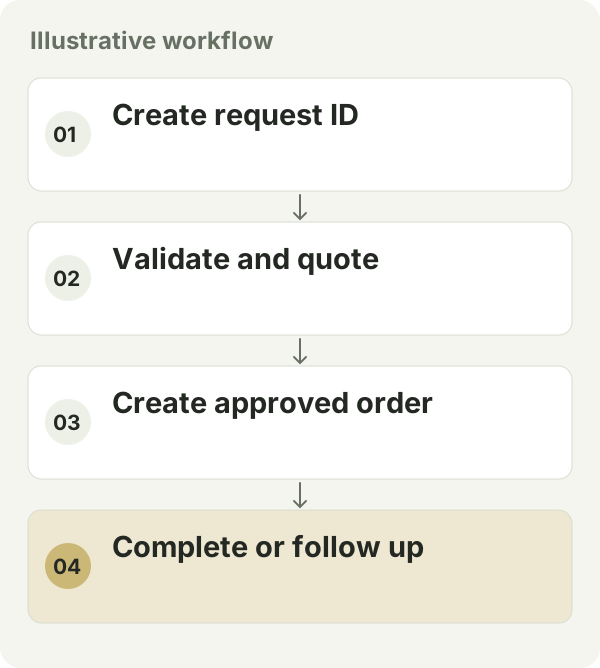
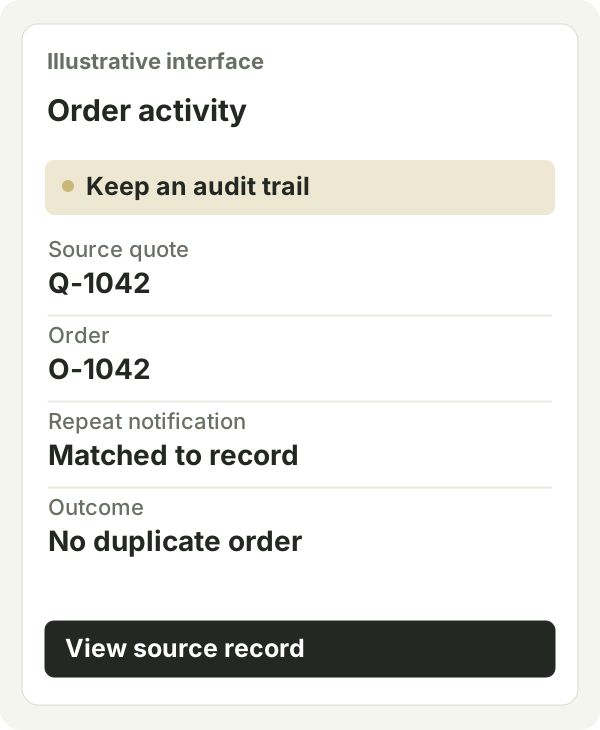
Suppose a website enquiry becomes a quote and then an order. Create a request number, validate required data and assign an owner; create the order only after quote approval. A repeated notification updates the existing record. Missing information goes onto a follow-up list instead of being marked complete.
04
Define delivery and acceptance
- Prepare normal, incomplete, duplicate, cancelled and updated examples. Reconcile records and outcomes in both systems.
- Simulate a temporary connection failure. Confirm that the failure is visible, an alert is raised and a retry does not create a second order.
- Compare manual steps, missed records and exception-handling time for the same type of work before and after the change, then decide whether to expand.
05
How should you compare cost and timing?
Integration effort depends on tool connectivity, data quality, approval rules and exceptions. Separate historical cleanup when existing data contains duplicates or missing values. Include subscriptions, usage charges and ongoing monitoring in the comparison.
Pilot a workflow with enough activity to expose problems and a practical manual fallback. Before switching, agree when the old process stops, who reviews failures and how rollback avoids two systems creating the same order.
06
Prepare before starting
Prepare current tools, anonymised spreadsheet samples, fields, approval rules, actual daily workload and common exceptions. During scoping, agree historical migration, platform permissions, usage costs, monitoring and responsibility for later changes.